

Set up takes less than 2 minutes

Get Started with SendLock

Get Started with SendLock

This quick walkthrough shows you how SendLock protects every email before it sends.

This quick walkthrough shows you how SendLock protects every email before it sends.

Step 1

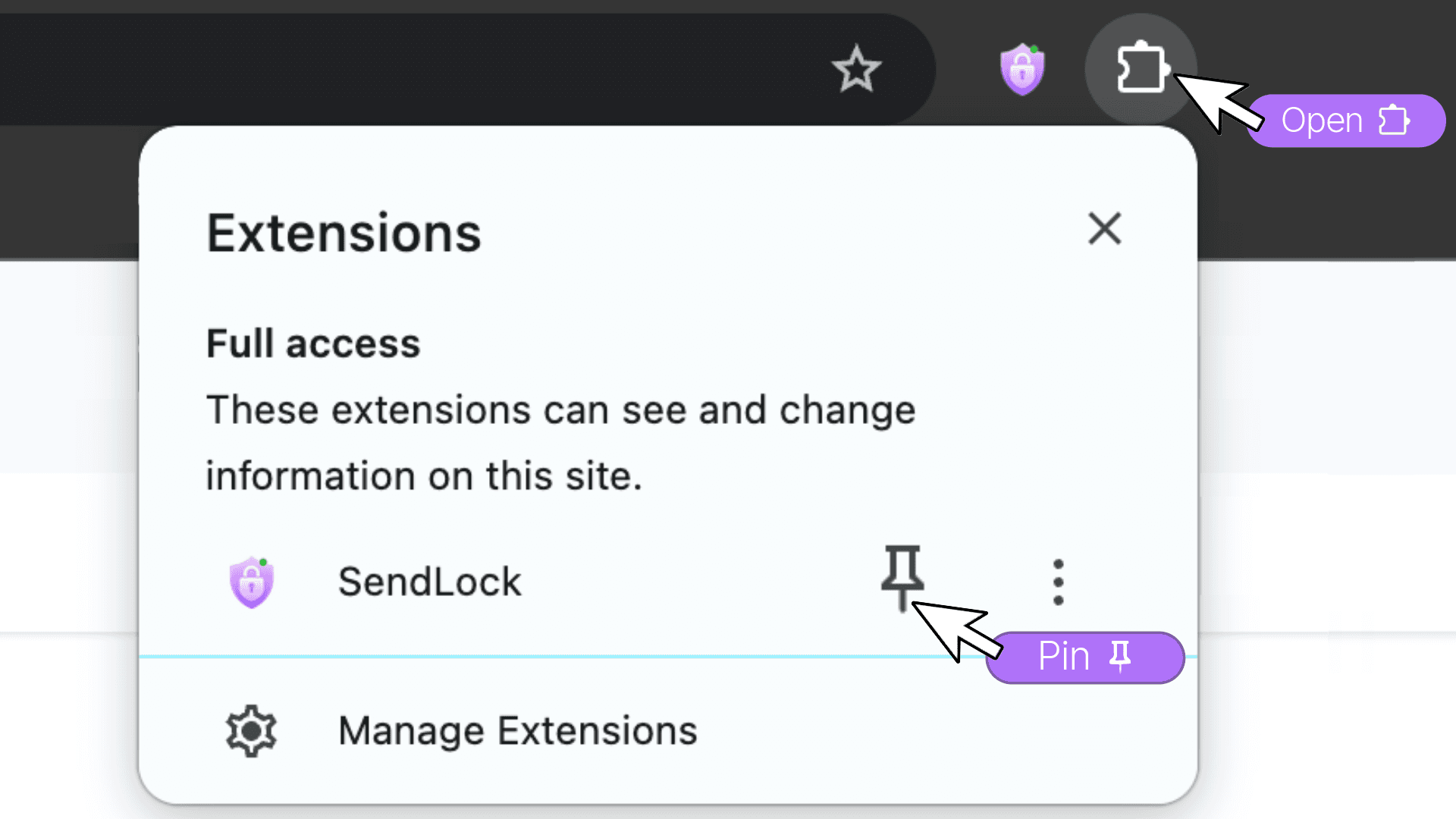
Open & Pin SendLock

Open & Pin SendLock

Click the Extensions icon in Chrome and pin SendLock so it’s always visible in your toolbar.
Step 2

Connect SendLock to Gmail

Connect SendLock to Gmail

When installed, SendLock automatically opens Gmail and prompts you to connect. You can also connect anytime from the SendLock icon in your Chrome toolbar.
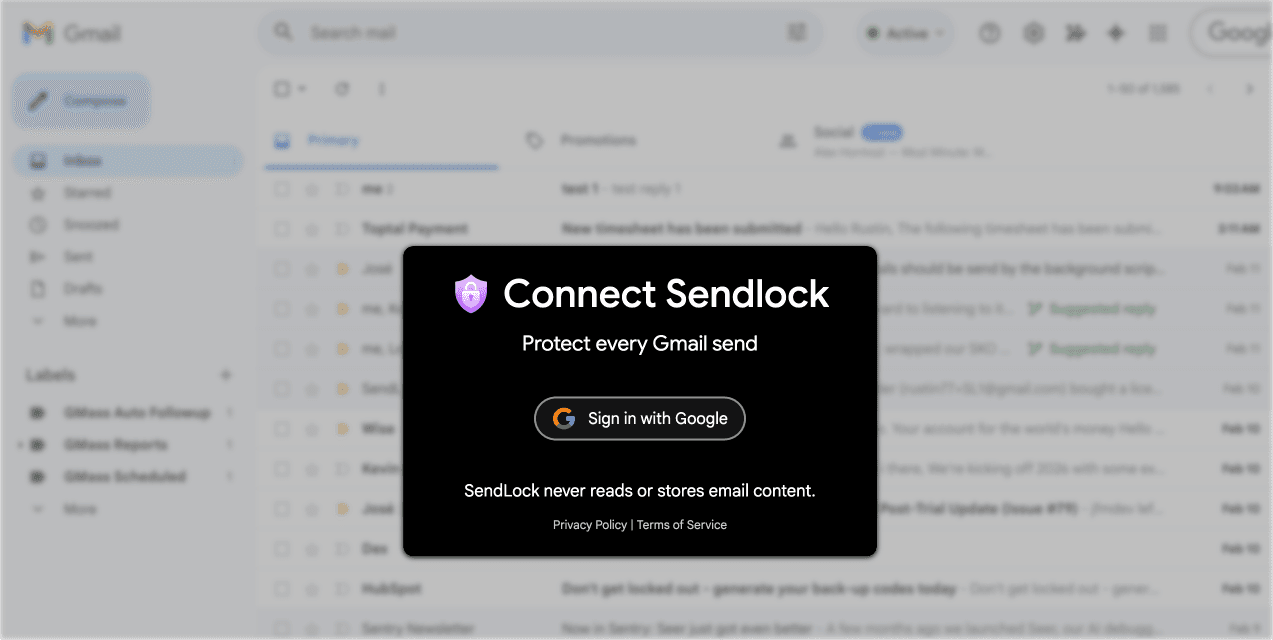
Click “Sign in with Google” and approve permissions

Alternate Connection Way

If you close the popup, simply connect from the SendLock icon in your Chrome toolbar.
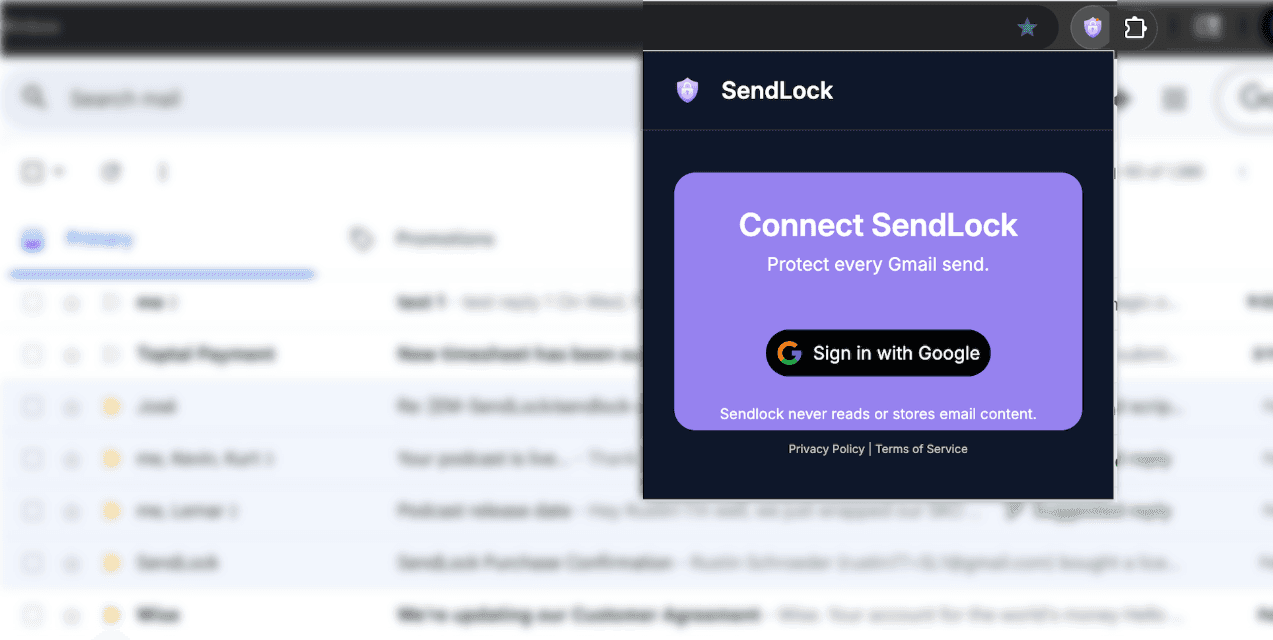
Click the SendLock icon in your Chrome toolbar to connect.

Step 3

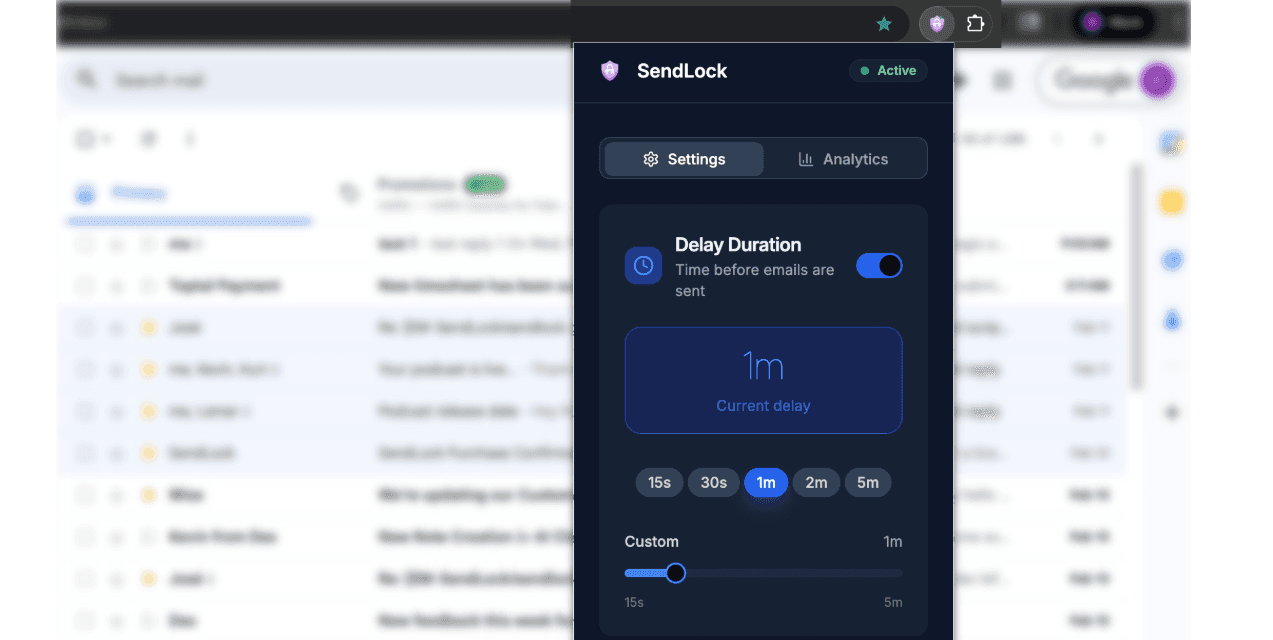
Choose Your Delay Length

Choose Your Delay Length

Select the delay that fits your workflow. You can adjust your delay anytime in settings.
How SendLock Works


• Click Send → the SendLock bar appears and the countdown begins
• Click the SendLock bar → the countdown pauses
• Edit the email → click Send again to restart the full delay
Move to Draft → remove the email from the sending queue
Send Now → send immediately


Every email gets a moment of protection before it leaves your inbox.


• Click Send → the SendLock bar appears and the countdown begins
• Click the SendLock bar → the countdown pauses
• Edit the email → click Send again to restart the full delay
Move to Draft → remove the email from the sending queue
Send Now → send immediately


Every email gets a moment of protection before it leaves your inbox.

Common Questions

Does SendLock read my emails?

No. SendLock applies a delay before sending. It does not store your email content.

Can I change the delay time?

Yes. You can update it anytime in settings.

What happens if I close Gmail?

The delay timer continues running, but your email will not send while Gmail is closed. When you reopen Gmail, any emails whose delay has completed will send.

Have another question?

Email support@sendlock.com - we’re happy to help.

Give Yourself 60 Seconds of Email Peace

Stop stressing over every send. With SendLock, you’ll always have time to rethink, revise, or recall your message before it’s too late.

Works instantly with Gmail

Give Yourself 60 Seconds of Email Peace

Stop stressing over every send. With SendLock, you’ll always have time to rethink, revise, or recall your message before it’s too late.

Works instantly with Gmail

Give Yourself 60 Seconds of Email Peace

Stop stressing over every send. With SendLock, you’ll always have time to rethink, revise, or recall your message before it’s too late.

Works instantly with Gmail

If SendLock stops just one bad email this year, it already paid for itself 10x over. Because one email mistake can cost you the deal, the client, or your job. Protect yourself with SendLock, the real email undo button.

If SendLock stops just one bad email this year, it already paid for itself 10x over. Because one email mistake can cost you the deal, the client, or your job. Protect yourself with SendLock, the real email undo button.

Contact

Based in Milwaukee, WI, USA

Background Image
Background Image